


Buying insurance online is quicker and easier than ever before. No need to set up appointments or drive to an office—now, you can compare quotes, tweak your coverage, apply, and even get proof of insurance without leaving your computer or phone. The National Association of Insurance Commissioners (NAIC) actually points out that looking at several insurers side by side is the best way to find a plan that matches both your budget and your needs, since every company sets its prices and coverage just a little differently. And the Insurance Information Institute (III) says you should absolutely pay attention to more than just price. The details matter.
If you're shopping for auto insurance online, knowing how the entire process works is just as important as spotting a good deal. This guide will walk you through it all: gathering your info, comparing options, buying your policy safely, and double-checking your coverage once you're done.
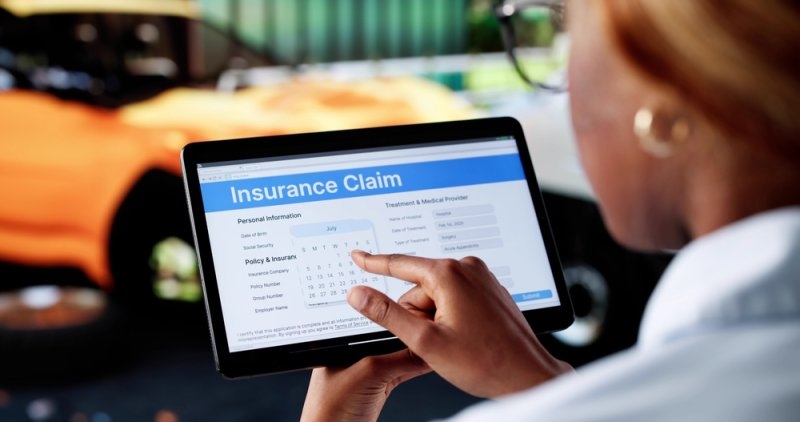
Honestly, digital platforms have changed the whole game. Now you can research different companies, look at policies side by side, and buy a plan whenever you want—it’s all on your schedule. Some big perks? You get:
It’s really convenient, but it pays to slow down and really look through your options before clicking “buy.”
Getting your info together ahead of time saves you a lot of hassle and helps you get better, more accurate quotes.
Companies will typically ask for:
Double-check that everything’s right so you don’t end up with surprise changes to your quoted price later.
You’ll also need to provide:
Having this info handy lets you breeze through the quoting process.
Think about the protection you want. Some common options:
Also, figure out what you’re comfortable paying in deductibles—they can make a big difference when you file a claim.
Cheapest isn’t always best. What matters is finding a mix of affordable rates, good coverage, and solid support.
To make apples-to-apples comparisons, use the same coverage limits and deductibles every time you get a quote.
Here’s what to focus on:
Comparison Area | Why it Matters |
Annual Premium | Reflects your total yearly insurance cost. |
Coverage Limits | Determines the amount of financial protection provided. |
Deductible | Affects out-of-pocket costs if you file a claim. |
Optional Benefits | Adds protection for specific driving situations. |
Claims Experience | Indicates how efficiently claims are handled. |
Financial Stability | Shows the insurer's ability to pay future claims. |
Digital Services | Makes managing your policy easier after purchase. |
Checking these boxes helps you pick a policy that works for you in the long run—not just one that’s cheap today.
Try This: Find Cheap Online Auto Insurance: A Guide for Car Owners
Every company does things a bit differently, but the basic process is about the same:
Enter your info and get quotes tailored to you. The more accurate you are, the more you’ll avoid any price bumps later.
Look closely at each quote. Don’t just stare at the bottom line—check the liability limits, deductibles, what’s actually covered, optional add-ons, and any discounts.
Once you’ve picked a policy, double-check your details and submit your application. Most companies approve you much faster online than with old-school paperwork.
Before you hit “pay,” read through your policy summary. Make sure the start date, coverage amounts, car and driver info, premium, and payment schedule are exactly right. A couple of minutes here can save you a headache later.
It’s not just about price. Some features make your life a lot easier even after you’ve bought your policy:
These things make dealing with insurance a whole lot less stressful down the road.
Purchasing auto insurance online puts you in the driver’s seat. You’re not just stuck with the first option—take your time, compare what matters, and choose a policy for its quality, not just the cost. The smartest buyers think about long-term value and protection, not just grabbing the lowest price.
Take Emma, for example. She bought her first car recently and decided to purchase auto insurance online instead of hopping between agencies. She compared three different policies, kept the coverage limits the same across all quotes, and looked carefully at deductibles, claims support, and every extra benefit. In the end, she paid a bit more in exchange for better roadside assistance and a lower deductible. Those few extra minutes spent comparing left her confident that she’d picked a plan that actually fit her needs.
It’s convenient, but you should take a few smart steps to protect yourself and your money.
Before entering any payment info, make sure you’re dealing with a real, licensed insurance company or marketplace. Double-check for:
Trusted websites mean less risk of getting scammed or stuck with a fake policy.
Don’t just skim the price! Before you pay, look for:
If you understand these before you buy, you’re a lot less likely to be surprised if you have to make a claim.
Even savvy drivers miss details sometimes.
A lower price isn’t always a bargain if it comes with worse coverage. If one quote has lower liability limits or is missing extras, you’re not making a fair comparison. Always keep the coverage amounts and deductible the same for accurate price comparisons.
A typo or missing info can raise your rates or delay your policy. Before you submit, double-check:
Correct info gets you the coverage you actually need.
Some discounts aren’t automatic. Ask about deals for:
Even small discounts add up over time.
Before you hit “purchase,” run through this:
Looking at the details now helps you avoid missing something important.
Buying the policy is only the start. Stay organized and ready for anything:
Action | Why it Matters |
Download Your Policy | Provides easy access to coverage details whenever needed. |
Save Your Digital Insurance ID | Makes proof of insurance readily available during traffic stops or emergencies. |
Review Coverage Annually | Ensures your policy still matches your driving habits and financial goals. |
Update Personal Information Promptly | Helps prevent claim delays and keeps your policy accurate. |
Store Emergency Contact Information | Makes the claims process easier if an accident occurs. |
A few quick steps right after buying save you a lot of hassle if you ever need to use your insurance.
Life moves fast. According to the NAIC, any major life changes, such as moving, buying a new car, adding a driver, or driving significantly more or less, mean you should review your insurance. Keeping your policy up to date means you stay protected and avoid price surprises.
Choosing to purchase auto insurance online gives you flexibility, quick access to quotes, and the power to choose the best coverage. But don’t stop at the convenience factor alone. Take time to prepare, compare, and really read the fine print. Think about customer support, claims process, and how the coverage fits your life, not just how cheap it is. If you follow a step-by-step plan, you’ll end up with a policy that protects you financially, secures your car, and has your back when you need it most.
Shopping online makes comparing easier than ever, but the smartest choice is always the one you’ve researched carefully. Take a little time, ask the right questions, and make sure you understand what you’re buying. Doing it right protects your bank account, saves you headaches later, and keeps you confident whenever you hit the road.
Slow down, compare everything, and be sure you’re picking a balance of price, protection, and value you’ll feel good about. Investing a few extra minutes today really can save you lots of trouble later on.
Yes, you can. Most insurers let you set a future start date, handy if you’re switching companies, buying a new car, or lining up your policy to match when your existing one runs out.
Most companies take debit and credit cards and bank transfers, and even give you an option for automatic recurring payments. The exact options might depend on where you live or who your insurer is.
Absolutely. Most insurers let you update your policy at any time, either by purchasing auto insurance online, through an app, or by calling customer service. Update right away to make sure all drivers are covered.
This content was created by AI